Editing
Rough cut
Remove Retakes keeps one take of each line. Remove Silences cuts the dead air. Both show you what they'll cut first.
Beacon transcribes your speech on your Mac as soon as you record or import. Open the AI panel (the sparkle in the left bar) to find both tools. They work the same way: what they’d cut is marked on the timeline, you change anything you disagree with, then Apply (↩). Cancel (⎋) cuts nothing.
Remove Retakes
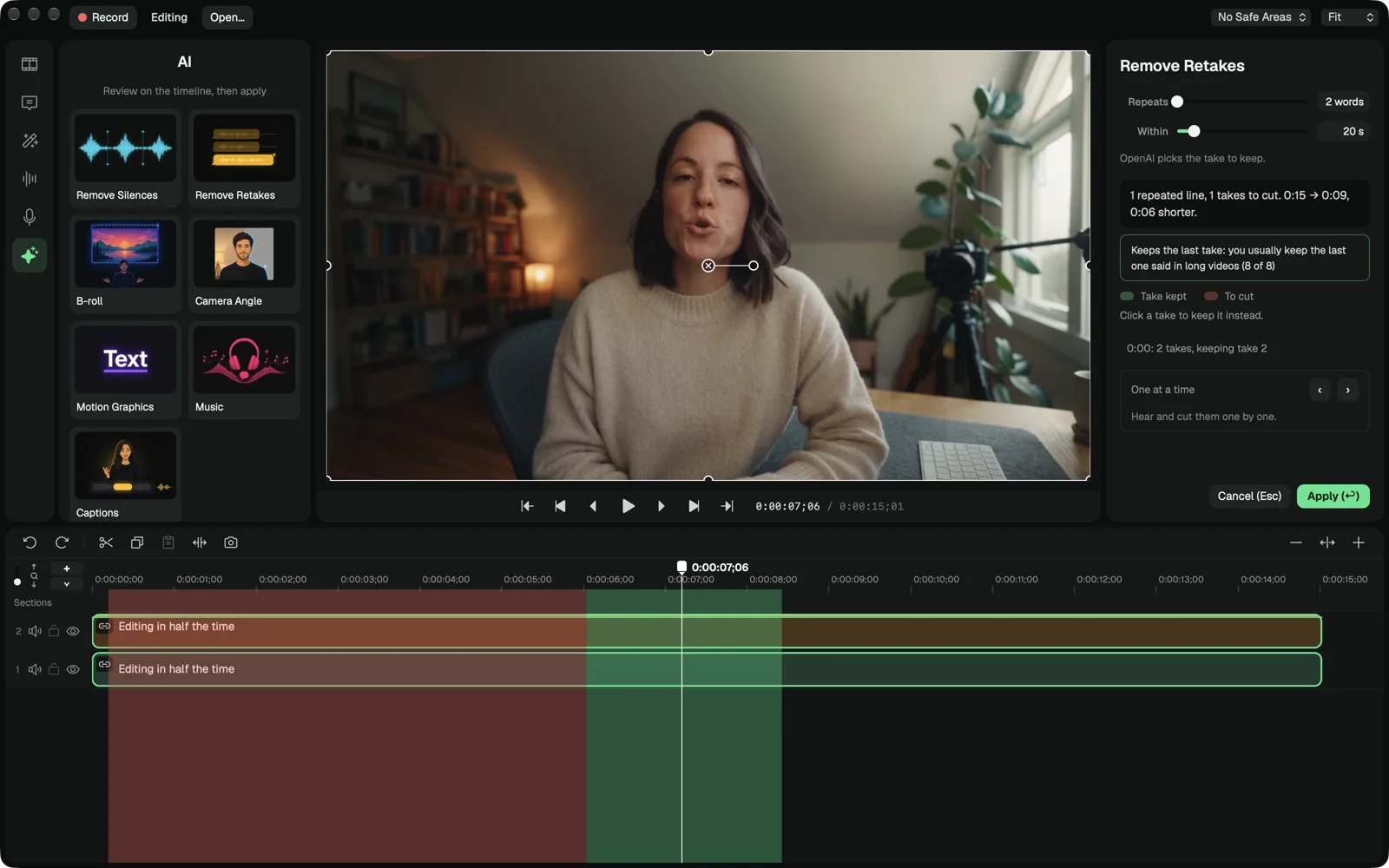
Remove Retakes finds every line you said more than once (a restart, a sentence said again, a stumble) and keeps one take of each. On the timeline the take it keeps is green and the others are red.
- Click a take to keep it instead.
- One at a time walks through each line so you can hear the takes and cut them one by one.
- Repeats is how many words in a row count as saying it again; Within is how far apart two takes can be.
Shortcut: : then R.
Remove Silences
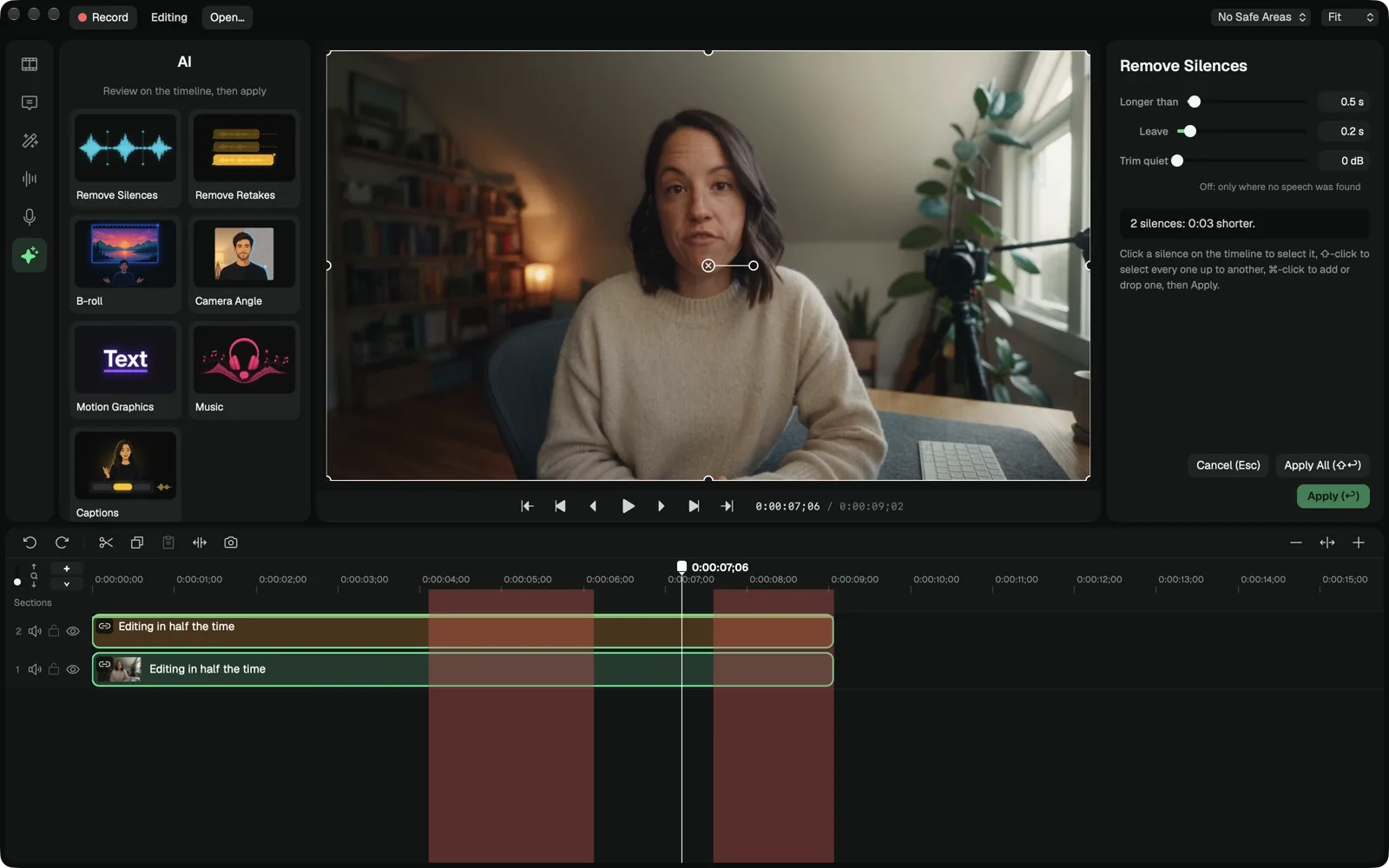
Remove Silences marks each pause longer than you set.
- Longer than: pauses over this are cut.
- Leave: how much of each pause is kept, so cuts don’t feel clipped.
- Trim quiet: sound this far under your voice (a breath, the room) counts as silence too.
Pauses where your screen is busy (the cursor moving or clicking) are kept, so a demo isn’t cut short. Click a silence to pick it, ⇧-click to pick a run, then Apply; or Apply All (⇧↩) for every one.
Shortcut: : then S.
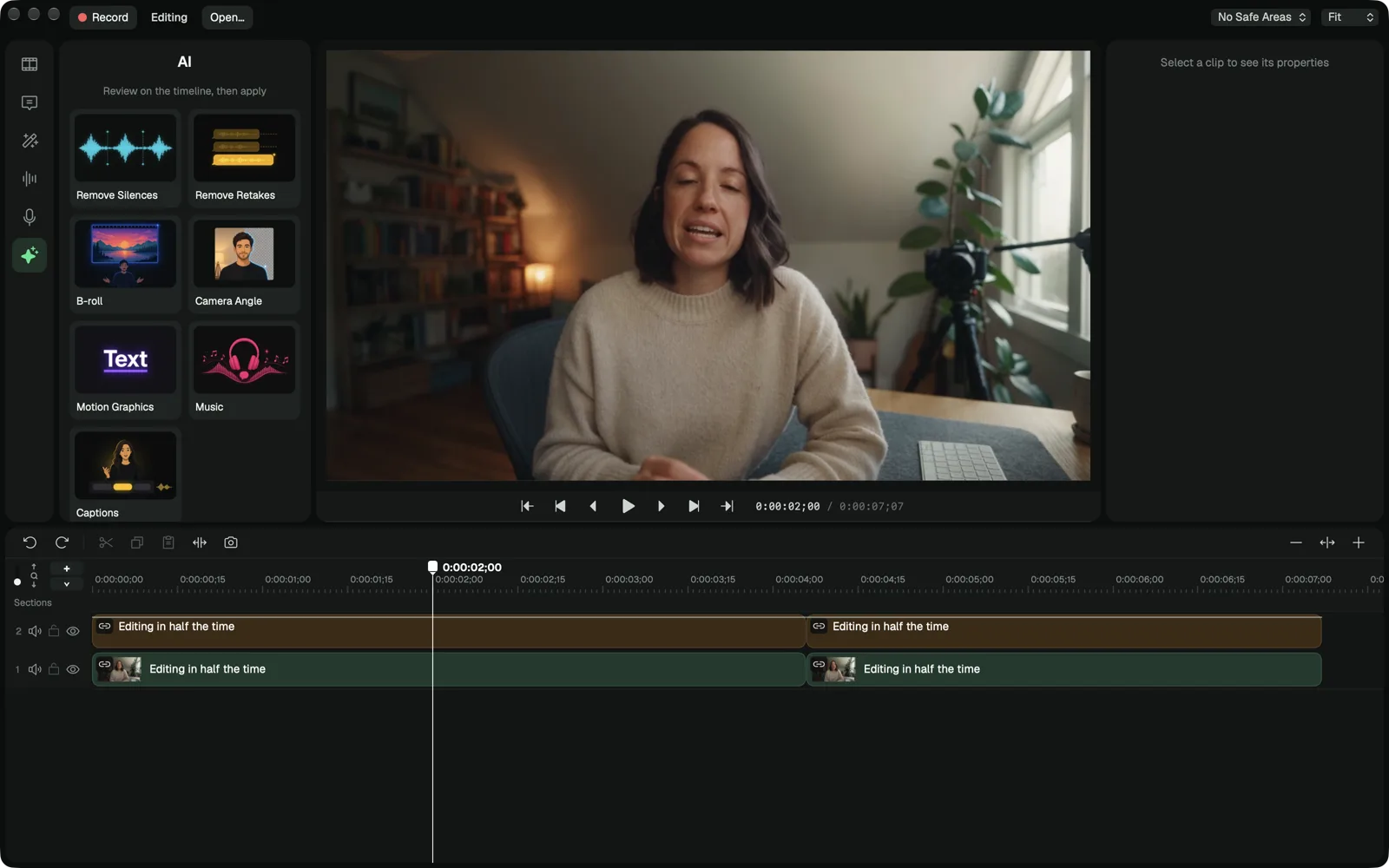
Both reviews remember their last settings and, over time, learn your habits. Each Apply is one undo step, and your media is never changed: drag a clip’s edge back and the pause returns.
Transcripts
Speech is transcribed on your Mac by default, offline. Settings › Transcripts also offers Apple’s on-device transcriber (no download, faster, weaker on technical words).
Ask for it
Rough-cut my open project: mark the retakes and silences for me to look over.Checked against Beacon 0.18.0. Something wrong or missing? Open an issue.
Using an AI agent? Point it at /llms.txt, the docs index for agents, or give it every page in one file.