
Basics
Find your way around
The editor's four areas, playing and stepping through your video, and zooming the timeline.
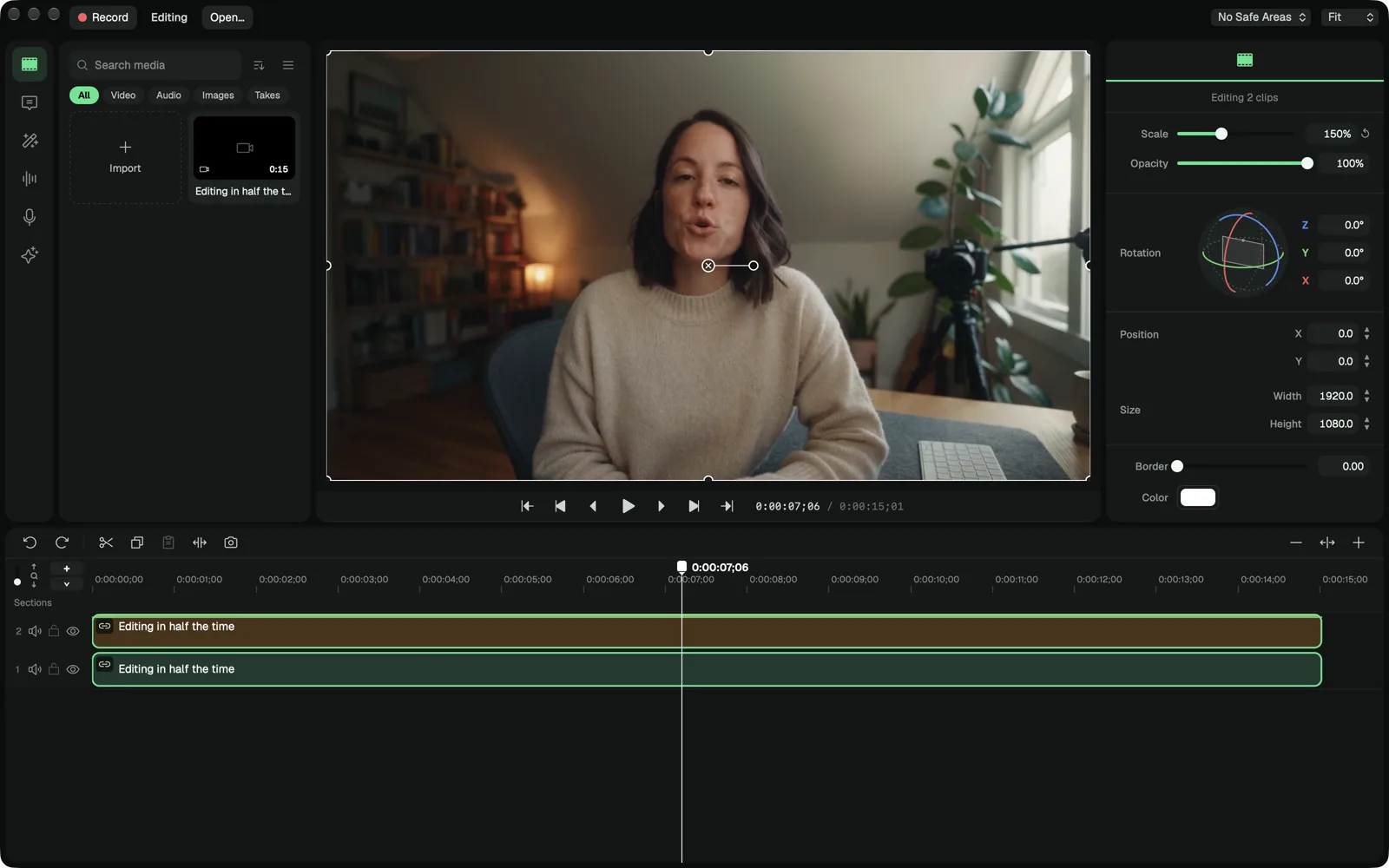
The editor
- Left: a rail of panels: the Media Bin, Annotations, Visual Effects, Audio Effects, Narration and AI. Click one to open it, and click again to close it.
- Middle: the canvas, your video at the playhead. Click media there to select it, and drag to move or resize it.
- Right: properties for whatever is selected, including its effects and animations.
- Bottom: the timeline: the ruler, the Sections band under it, then your tracks.
⌘K opens the command palette. Type the name of an effect, annotation or AI tool to add it.
Play and move the playhead
| Keys | Does |
|---|---|
| Space | Play or pause |
| J / K / L | Play backwards, pause, play forwards. Press J or L again to go faster |
| ⇧J / ⇧L | Play backwards or forwards at half speed |
| , / . | Back or forward one frame |
| ⌃< / ⌃> | Back or forward 15 frames |
| ⌃, / ⌃. | Previous or next edit (a clip’s start or end) |
| ⌃[ / ⌃] | Previous or next marker |
| ⌘↩ / ⇧⌘↩ | Start or end of the timeline |
Click or drag on the ruler to move the playhead. The Sections band scrubs the same way.
Zoom and scroll the timeline
| Keys | Does |
|---|---|
| ⌘ + scroll, or pinch | Zoom in or out around the pointer |
| ⇧⌘= / ⇧⌘- | Zoom in or out around the playhead |
| ⇧⌘0 | Fit the whole project |
| ⇧⌘8 | Fit the selected clips |
| ⇧⌘9 | Zoom all the way in, to ten frames |
| ⌥= / ⌥- | Taller or shorter tracks |
Scroll sideways to move through time. When there are more tracks than fit, scrolling up and down moves through the tracks.
Select clips
Click a clip to select it, ⇧-click to select a run of clips, and ⌘A to select everything. ⇥ and ⇧⇥ step through the clips under the playhead, and ⌥← / ⌥→ step along a track.
Every key here can be changed in Settings › Shortcuts. See Keyboard shortcuts.
Checked against Beacon 0.18.0. Something wrong or missing? Open an issue.
Using an AI agent? Point it at /llms.txt, the docs index for agents, or give it every page in one file.