Editing
B-roll
Footage made from what you're saying, placed over your talk, with the price shown before anything is made.
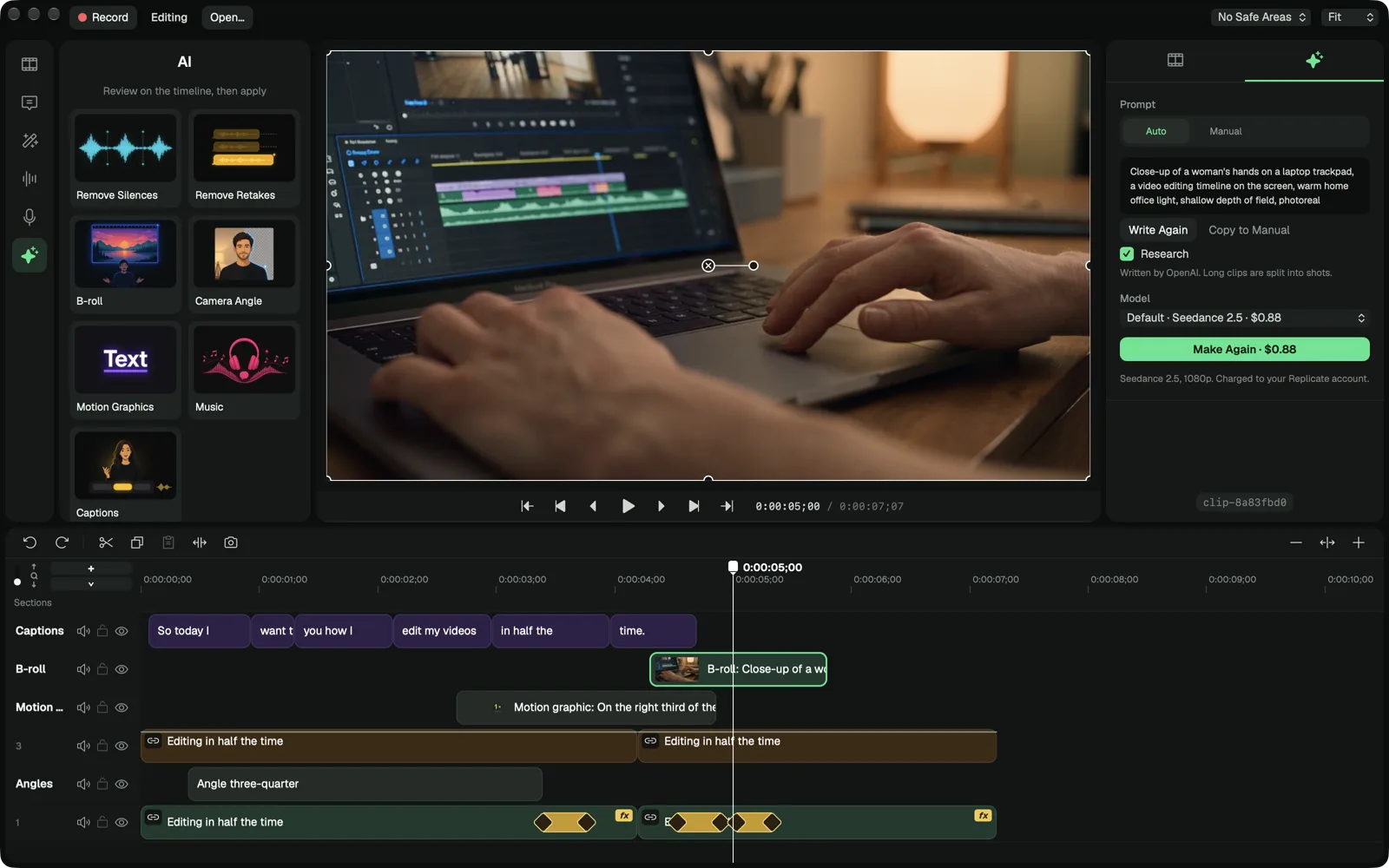
B-roll is footage over a stretch of your talk: the thing you’re describing, while your voice carries on underneath. Beacon writes what each shot should show from the words you say there, then makes it.
Add a B-roll clip
- Drag the in/out range on the ruler over the words it should cover, or put the playhead where it should start.
- AI panel › B-roll (or : then B) adds a B-roll clip on its own track above your talk. It shows nothing until it’s made.
- Beacon writes the shot from what you say under it. Edit the prompt in your own words if you want something else: “a city at night”, “keep it abstract”, “an anime style”.
- Generate shows the price first, then makes the footage into the clip.
A long clip is split into shots, cut where your sentences end.
Make it fit
- Cover part of the frame. Drag the clip’s box on the canvas: in a vertical Short, B-roll in the top half and your face in the bottom.
- Keep every take. Make it again and both versions are kept on the clip; pick either.
- Compare models. Make one clip with every available model side by side, then use the one you like for the rest.
- Research the topic. With the online planner (Settings › AI), turn it on and it looks up the names, products and places you mention, so the shots show the right thing.
Your voice keeps playing under B-roll: the footage is made silent.
What it costs
B-roll is generated, so it costs money: roughly $0.15 to $0.40 a second of footage, depending on the model. Generate always shows the price before anything runs. Planning the shots is free with Apple’s on-device model.
Ask for it
Where I talk about the window light, add four seconds of B-roll of soft
daylight through a window onto a desk. Tell me the price before you make it.Checked against Beacon 0.18.0. Something wrong or missing? Open an issue.
Using an AI agent? Point it at /llms.txt, the docs index for agents, or give it every page in one file.